24/7 Emergency Locksmith Service
Auburn, WA · Residential Locksmith

Keyless Entry Systems
in Auburn, WA

Stop carrying keys. Auburn Lock & Car Keys installs residential keyless entry systems — keypad locks, fingerprint locks, Wi-Fi locks, and Bluetooth phone-unlock locks — with proper installation, network setup, and a walkthrough that makes sure you actually understand your new system.

Why Keyless Entry?

Keys are a 19th-century technology that we keep using out of habit. They get lost. They get duplicated by people you forgot about. They get left in pants going through the laundry. Kids forget them at school. Spare keys hidden under rocks aren't fooling anyone.

Keyless entry solves all of this. Instead of a metal key, you use a PIN code, a fingerprint, your phone, or some combination. No key to lose, no key to copy without permission, no spare hidden in a flowerpot.

Types of Keyless Entry Systems

  • PIN code keypad locks — The simplest and most common. Enter a 4-8 digit code on a keypad. Different codes for family members, guests, and service providers. No phone or Wi-Fi required.
  • Fingerprint biometric locks — Just touch the sensor. Modern fingerprint locks (Eufy, Lockly, Aqara) are fast and reliable. Great for kids who'd forget a code.
  • Bluetooth phone-unlock locks — Your phone is your key. Walk up to the door and it unlocks automatically. Works without internet.
  • Wi-Fi smart locks — Adds remote access from anywhere — let people in while you're at work, get notifications when family arrives, integrate with smart-home systems.
  • RFID key fob systems — Tap a small fob to unlock. Used less commonly in homes than commercial, but available.
  • Combination systems — Most modern keyless locks offer multiple unlock methods at once: keypad + phone + emergency physical key.

Best Keyless Lock Brands for Auburn Homes

  • Schlage Encode — Built-in Wi-Fi, keypad + app + physical key. Excellent build quality, our most-recommended for primary doors.
  • Yale Assure SL Wi-Fi — Sleek touchscreen, no key cylinder (true keyless), great smart-home integration.
  • Kwikset Halo / Aura — Budget-friendly Wi-Fi option, keypad + app + key.
  • August Wi-Fi Smart Lock — Retrofits over your existing deadbolt, you keep your key.
  • Eufy Smart Lock Touch — Built-in fingerprint plus keypad. Affordable and reliable.
  • Level Lock+ — Invisible interior, Apple Home Key support, premium hardware.
  • Lockly Vision & Secure Pro — Fingerprint + keypad + Wi-Fi + camera on premium models.

Call (253) 796-8550 for keyless entry installation in Auburn.
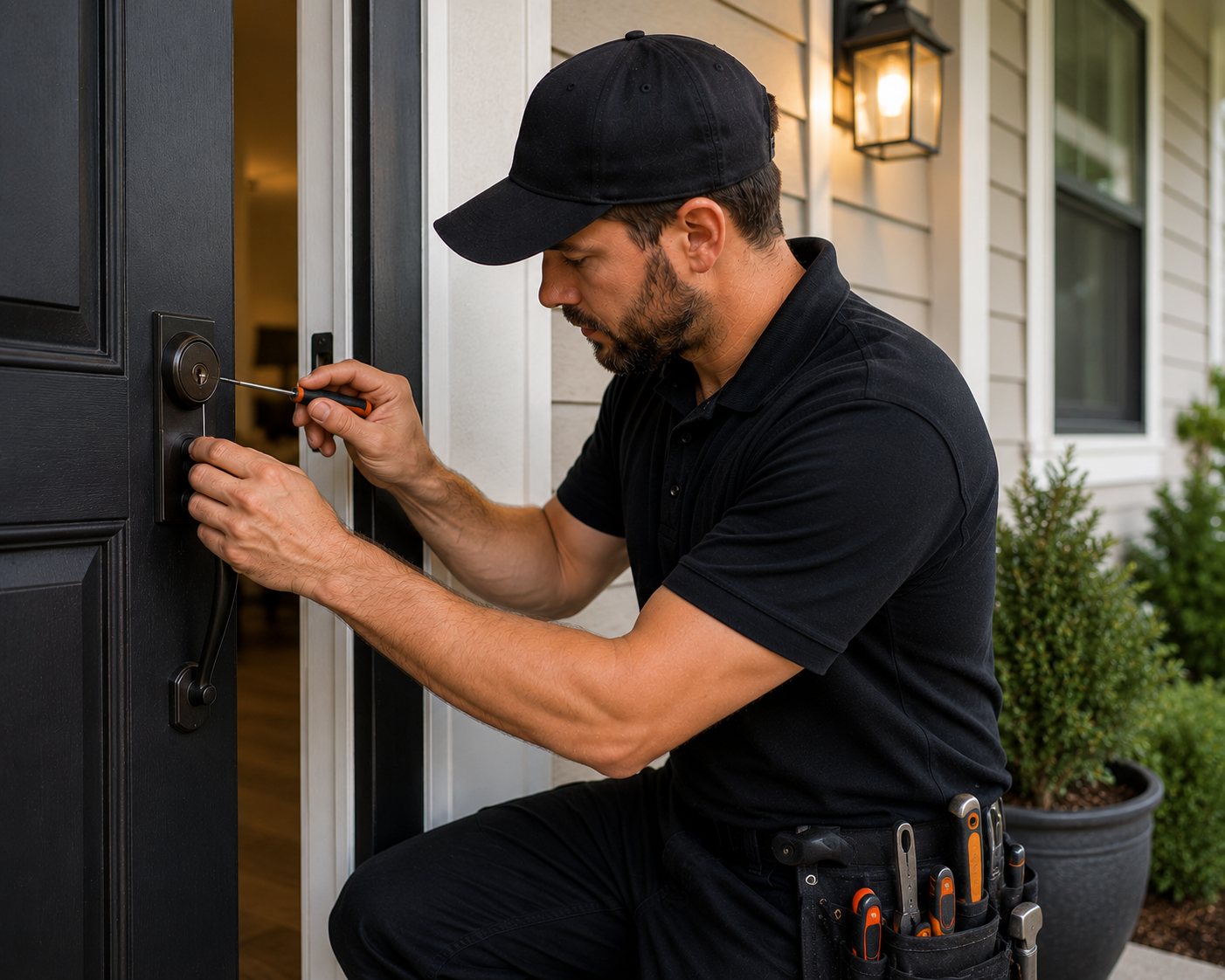
Auburn locksmith installing a keyless entry keypad lock on a residential front door with PIN code access
When You Need This Service

Common Reasons Auburn Homeowners Call Us

Family with Kids

Each kid gets their own code. No more lost keys, no more 'I forgot it again.' Plus you see who came home and when.

Vacation Rental

New code for every guest stay. Code expires when the booking ends. No key handoffs, no key returns, no rekeys.

Service Provider Access

Give cleaners, contractors, dog walkers a temporary code that auto-expires. No spare key floating around indefinitely.

Empty Nest / Older Adults

Kids and grandkids each have their own code. No more managing a drawer full of physical keys for visiting family.

Our Process

How Keyless Entry Systems Works

Keyless entry installation typically takes 60-90 minutes including all configuration and walkthrough.

01

Consultation

Tell us your priorities: keypad only, phone unlock, fingerprint, smart-home integration, budget. We recommend the right lock for you.

02

Physical Install

Old lock comes off, new keyless lock goes on. Reinforced strike, proper alignment, batteries installed.

03

Setup & Codes

We pair the lock with the app (if applicable), connect to Wi-Fi, set up your initial codes (one per family member, plus guest codes), and configure auto-lock.

04

Training Walkthrough

We make sure you know how to add/remove codes, change settings, manage the app, and what to do if the battery dies. You leave fluent in your new system.

Need a Locksmith Right Now?

Call us. We're on the road 24/7
across Auburn & South King County.

(253) 796-8550
FAQ

Keyless Entry Systems Questions

Keyless entry installation in Auburn typically runs $300 to $600 total when we supply the lock (most popular options: Schlage Encode at $250-275 hardware + $150 install = $400-425 total). Install-only with your own lock is $125-175. Premium fingerprint and Wi-Fi locks can push total cost to $500-800.
Yes — arguably more secure than traditional keys for most threats. You can't lose a PIN code or fingerprint, you can't have it duplicated without your knowledge, and you can change it instantly if needed. The main risks are people watching you type the code (use a 6+ digit code and you can shield with your hand), and brute-force code-guessing (most locks auto-lock after wrong attempts). Quality keyless locks are very secure.
Most keyless locks are battery-powered, not wired — so a power outage doesn't affect them at all. When batteries get low (typically every 6-12 months), the lock gives you weeks of low-battery warnings via beeps and app notifications. If batteries die completely, most locks have an emergency physical key backup, or external 9V battery contact points to temporarily power the lock.
Modern Wi-Fi smart locks from quality manufacturers use bank-level encryption between the lock, your phone, and the cloud. The real-world risk of someone hacking a residential smart lock is much lower than the risk of someone duplicating your physical key without you knowing. That said, we recommend reputable brands (Schlage, Yale, Level, August) over bargain no-name locks, and we configure your account with a strong password.
Usually yes — most keyless locks include a physical key override hidden under the keypad or in a discrete location. Some "true keyless" locks (like the Yale Assure SL line) have no key at all for security reasons. We'll let you know what option fits your preference.
Absolutely — this is one of the best features. Most keyless locks support 10-30 different user codes. We typically set up: parents (high-priority codes), each kid (their own), a guest code for visiting family, and temporary codes for service providers. Many locks let you see logs of which code unlocked the door and when.